Quarantine new tests via CircleCI with Allure

Much has been written about flaky tests, the perils of ignoring the signal they may be giving you and how to deal with them from a tools perspective, and here but I've never really read anything about how to stop flaky tests getting added in the first place (in so far as we can). Of course, flakiness may only emerge after time, but often we can discover problems simply by running the same test a number of times, particularly on the infrastructure that will run the test normally (ie not just locally).
Making use of Allure
I've written up how we are (Glofox) are performing this discovery and thought it might be useful to share.
We were already using Allure for our test results reporting, and one of the features of Allure is that it captures retry information for a test.
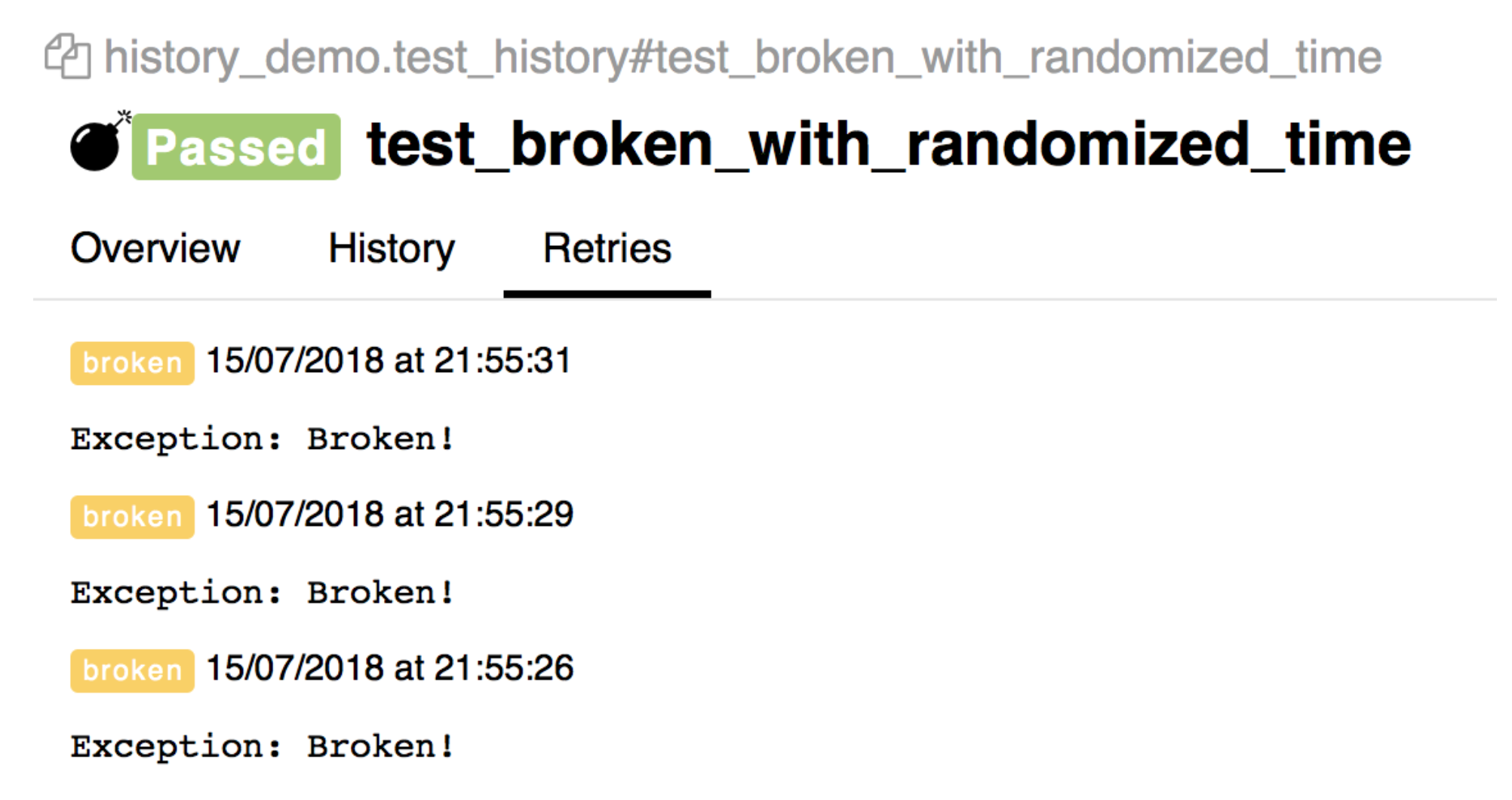
I thought it might be useful to leverage this to give a quick visual of the stability of a test that has just been added, and that's what we have implemented as a lightweight step as part of a pull request.
The steps to achieve this were as follows:
- Find out which tests have been added
- Run each of them (for example) 10 times
- Fail the job if the test failed any of the 10 times it was executed.
Which tests have been changed or added
To find out which of the tests have changed been added, we can use git diff, and grep for test files.
git diff origin/master...$CIRCLE_BRANCH --name-only | grep test.js
This will give us a list of test files that have been added. As this solution could be re-used for changed tests, we could further filter to ignore spaces and blank lines. We then pipe the results to a file.
do
    DIFF=`git diff origin/master...$CIRCLE_BRANCH --ignore-all-space --ignore-blank-lines ${f}`
    if [[ ! ${DIFF} == "" ]];
    then
        echo ${f} >> /tmp/tests-to-run.txt
    fi
done
Pipe the tests to WDIO
The tests that have been written to this file can then be piped to the wdio command-line utility:
cat /tmp/tests-to-run.txt | ./node_modules/.bin/wdio ./config/wdio.conf.js
To run the tests a number of times, we can write a simple loop
COUNTER=10
until [  $COUNTER -lt 1 ]; do
    cat /tmp/tests-to-run.txt | ./node_modules/.bin/wdio ./config/wdio.conf.js
    let COUNTER-=1
done
Check there are tests to run
However, we may have made updates that resulted in no tests being changed, so we can add a check for that:
if [ -f "/tmp/tests-to-run.txt" ]; then
    COUNTER=10
    until [  $COUNTER -lt 1 ]; do
        cat /tmp/tests-to-run.txt | ./node_modules/.bin/wdio ./config/wdio.conf.js
        let COUNTER-=1
    done
fi
Allow the loop to complete
Due to the default shell settings if any iteration of the test(s) were to fail, the step would end without completing the loop. While this would tell us the test had a problem, it wouldn't show if any other additional problems exised in the test(s). To allow the loop to continue even if there is a failure, we add set + e at the start, so it doesn't exit immediately.
Adding this all together (determining the tests that have been added (or indeed changed), run them in a loop, and allowing the loop to continue even with failures), we end up with:
 - run:
    name: Test changed tests
    command: |
        set +e
        for f in `git diff origin/master...$CIRCLE_BRANCH --name-only | grep test.js`;
        do
            DIFF=`git diff origin/master...$CIRCLE_BRANCH --ignore-all-space --ignore-blank-lines ${f}`
            if [[ ! ${DIFF} == "" ]];
            then
                echo ${f} >> /tmp/tests-to-run.txt
            fi
        done
        if [ -f "/tmp/tests-to-run.txt" ]; then
            COUNTER=10
            until [  $COUNTER -lt 1 ]; do
            cat /tmp/tests-to-run.txt | ./node_modules/.bin/wdio ./config/wdio.conf.js
            let COUNTER-=1
            done
        fi
        true
You will notice that we added true at the end - this has the effect of making the step exit with 0. So how will we know if the test(s) failed at any point?
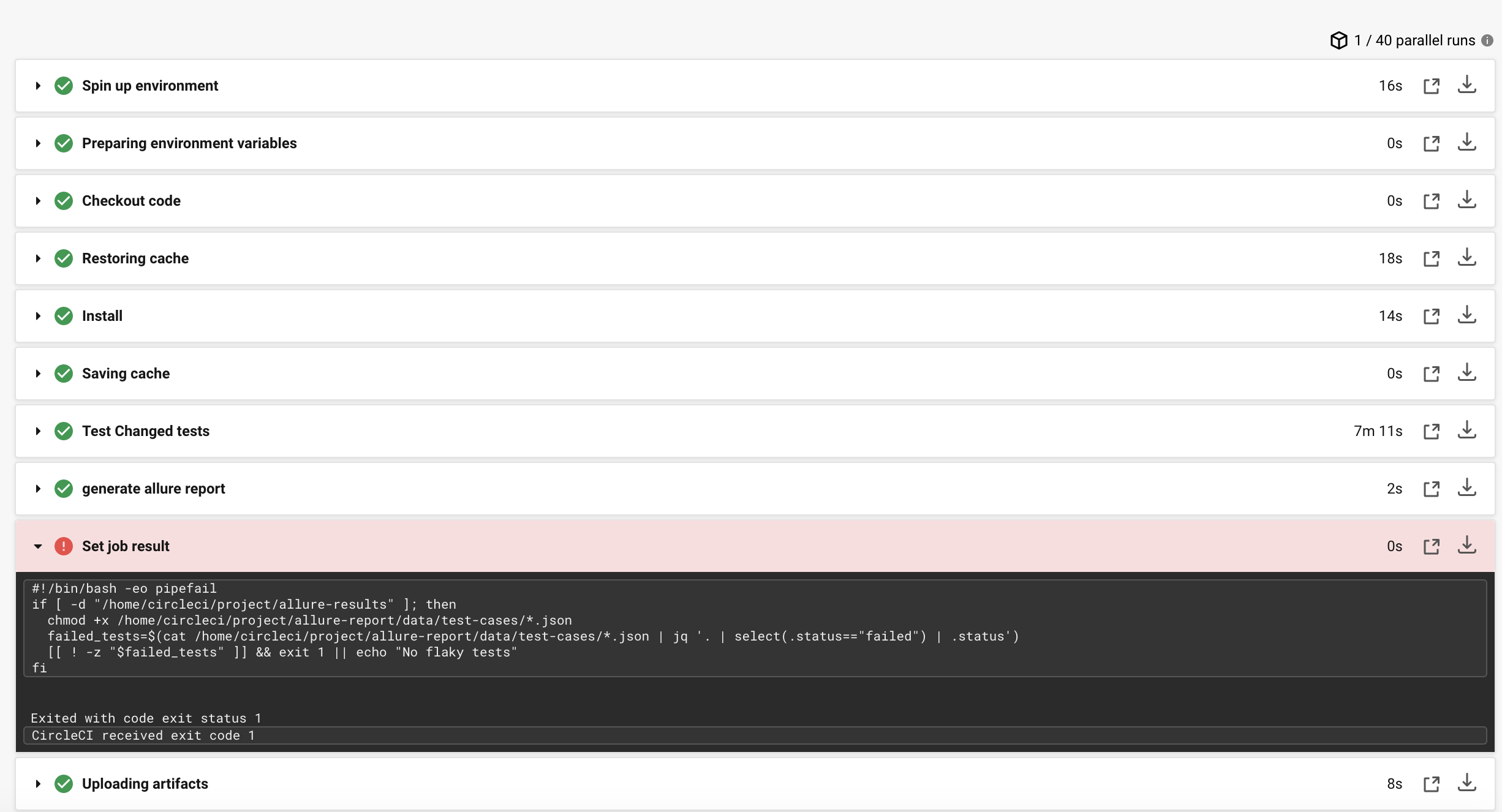
To determine this, we can inspect the test cases that makes up the retries of the Allure report as mentioned above. These are contained within allure-report/data/test-cases/ directory. Using jq, we can check for any instances of a failure, and exit 1 to force the job to fail.
- run:
    name: Set job result
    command: |
        chmod +x /home/circleci/project/allure-report/data/test-cases/*.json
        failed_tests=$(cat /home/circleci/project/allure-report/data/test-cases/*.json | jq '. | select(.status=="failed") | .status')
        [[ ! -z "$failed_tests" ]] && exit 1 || echo "No flaky tests"
    when: always
A failing step would look like this:
When inspecting the Allure report, you will then be able to see how often it failed, and the reason for failure(s).
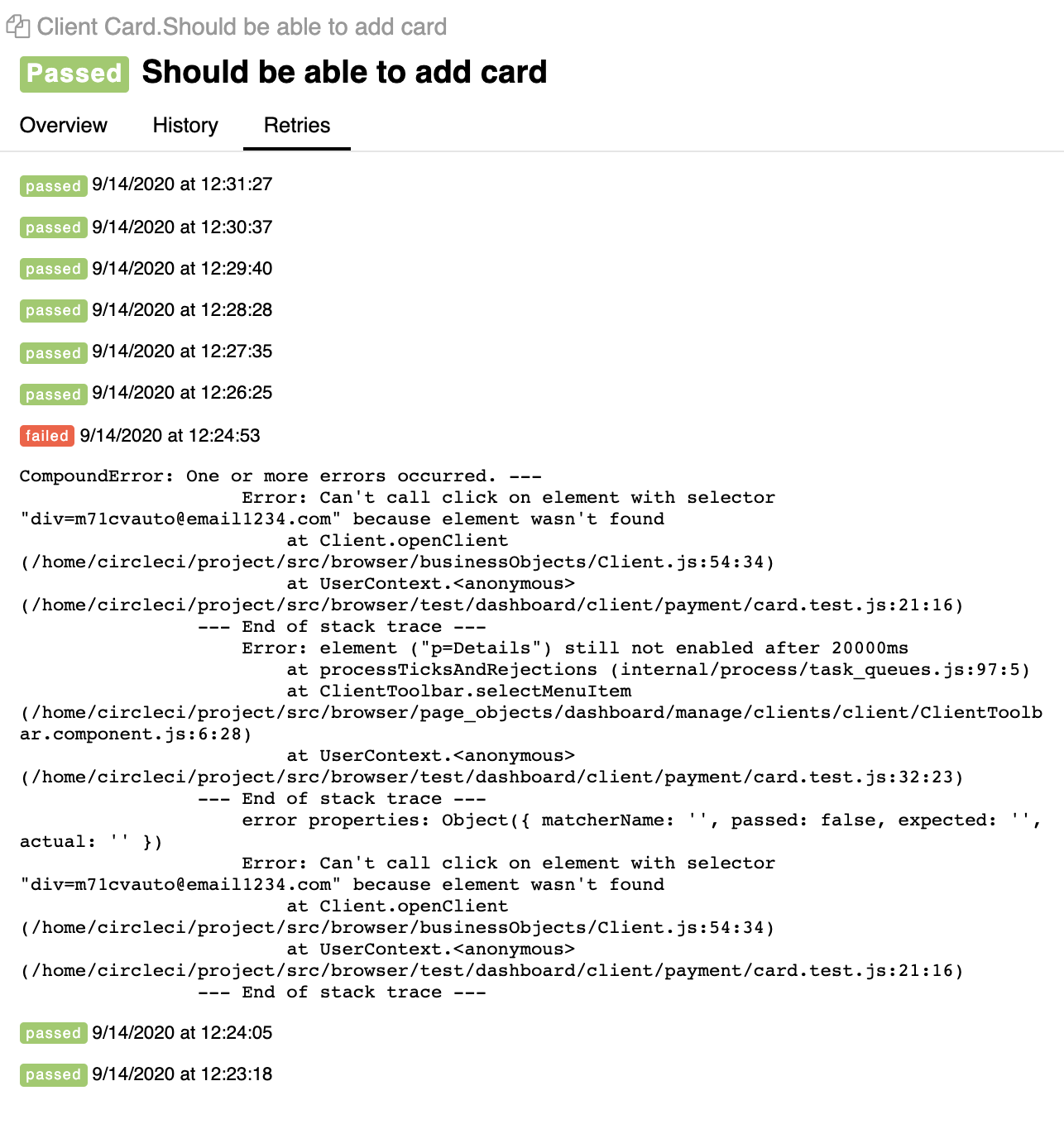
So there you have it! Any mechanism like this is really useful for discovering tests that might be flaky before they are added to the repo. Of course, 10 executions as in this example may not be statistically significant enough to discover all types of flakiness, but we have found it useful for the most obvious instances.
What's next?
- Maybe you want to distribute the loop to threads to run in parallel instead of sequentially
- A filter on the branch name to ignore PRs where you explicitly don't want this to run
What about you? If you have any mechanism for quarantining new tests let me know on Twitter or LinkedIn via the links below!
Comments
Join the discussionNo comments yet. Be the first to comment.