Visual regression testing with WebdriverIO, Jasmine and Allure

We have recently started using the Visual Regression Testing Service, and I thought I would share how we incorporate it in our test automation.
It's quite straightforward to capture an image, then run the test again and perform an assertion, checking there are no differences between the captured baseline image and the newly captured image, for example:
// check screen
expect(browser.checkScreen('example page')).toEqual(0);

// Check an element
expect(browser.checkElement($('#element-id'), 'example element')).toEqual(0);
Having previously had some experience with writing custom matchers for Jasmine, I thought it would make sense to wrap some of the functionality inside a matcher, for the following reasons:
Firstly, we could set a consistent screen size before we do the comparison
Secondly, by setting the plugin option
returnAllCompareData: true, it would allow us to return more information that would be useful when a test fails:
const checkResult = {
  // The formatted filename, this depends on the options `formatImageName`
  fileName: 'examplePage-chrome-headless-latest-1366x768.png',
  folders: {
      // The actual folder and the file name
      actual: '/Users/wswebcreation/Git/wdio-image-comparison-service/.tmp/actual/desktop_chrome/examplePage-chrome-headless-latest-1366x768.png',
      // The baseline folder and the file name
      baseline: '/Users/wswebcreation/Git/wdio-image-comparison-service/localBaseline/desktop_chrome/examplePage-chrome-headless-latest-1366x768.png',
      // This following folder is optional and only if there is a mismatch
      // The folder that holds the diffs and the file name
      diff: '/Users/wswebcreation/Git/wdio-image-comparison-service/.tmp/diff/desktop_chrome/examplePage-chrome-headless-latest-1366x768.png',
    },
    // The mismatch percentage
    misMatchPercentage: 2.34
};
- And finally, since we are already using Allure, we could leverage the Allure Screen Diff Plugin.
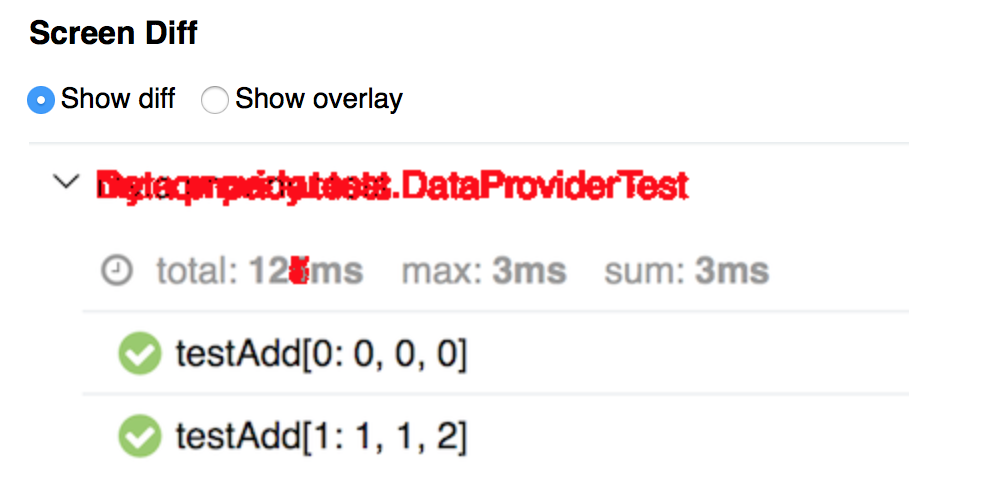
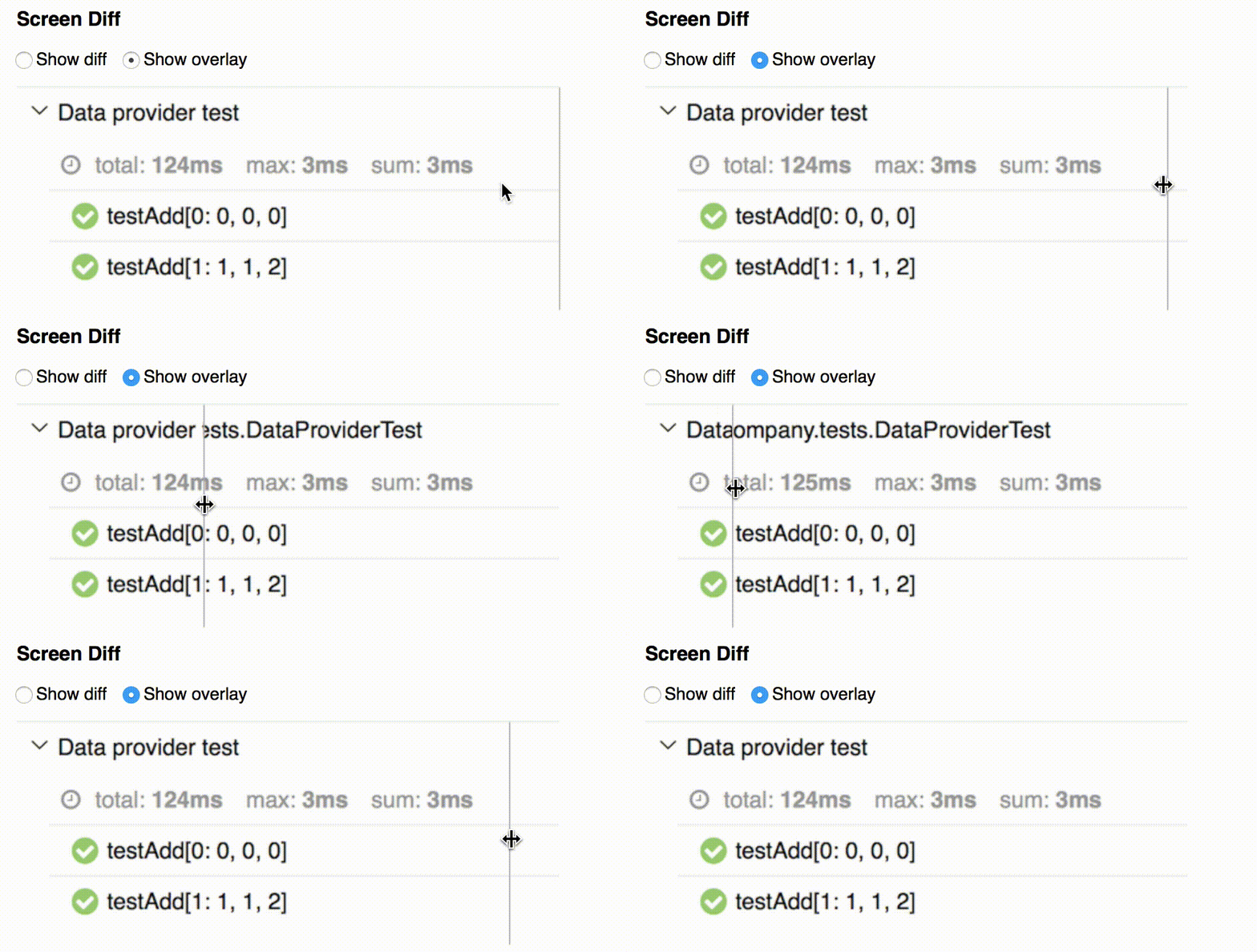
Bringing this all together we end up with:
jasmine.addMatchers({
    toMatchImageSnapshot: function(util, customEqualityTesters) {
        "use strict";
        return {
            compare: function(actual, expected) {
                browser.setWindowSize(1200, 900);

                let checkResult;
                if(actual.hasOwnProperty('element')) {
                  actual.element.waitForDisplayed();
                  checkResult = browser.checkElement(actual.element, actual.tag);
                }
                else {
                  checkResult = browser.checkScreen(actual.tag);
                }

                const pass = checkResult.misMatchPercentage === 0;

                if (!pass) {
                  const actualImage = fs.readFileSync(checkResult.folders.actual);
                  const expectedImage = fs.readFileSync(checkResult.folders.baseline);
                  const differenceImage = fs.readFileSync(checkResult.folders.diff);
                  allure.addLabel('testType', 'screenshotDiff');
                  allure.addAttachment('diff', differenceImage, 'image/png');
                  allure.addAttachment('actual', actualImage, 'image/png');
                  allure.addAttachment('expected', expectedImage, 'image/png');
                }

                return {
                    pass,
                    message: `Expected to have matched image at ${checkResult.folders.actual}, but there was a difference of ${checkResult.misMatchPercentage}%.
                    Difference can be viewed at ${checkResult.folders.diff}. Original can be viewed at ${checkResult.folders.baseline}`
                };
            }
        };
    }
});
This allows us to re-write the example assertions above as:
// check screen
expect({ tag: 'example page' }).toMatchImageSnapshot();

// Check an element
expect({ element: $('#element-id'), tag: 'example element' }).toMatchImageSnapshot();
What's next
We plan to add functionality to allow for updating the baseline, rather than having to manually update the baselines.
Comments
Join the discussionNo comments yet. Be the first to comment.